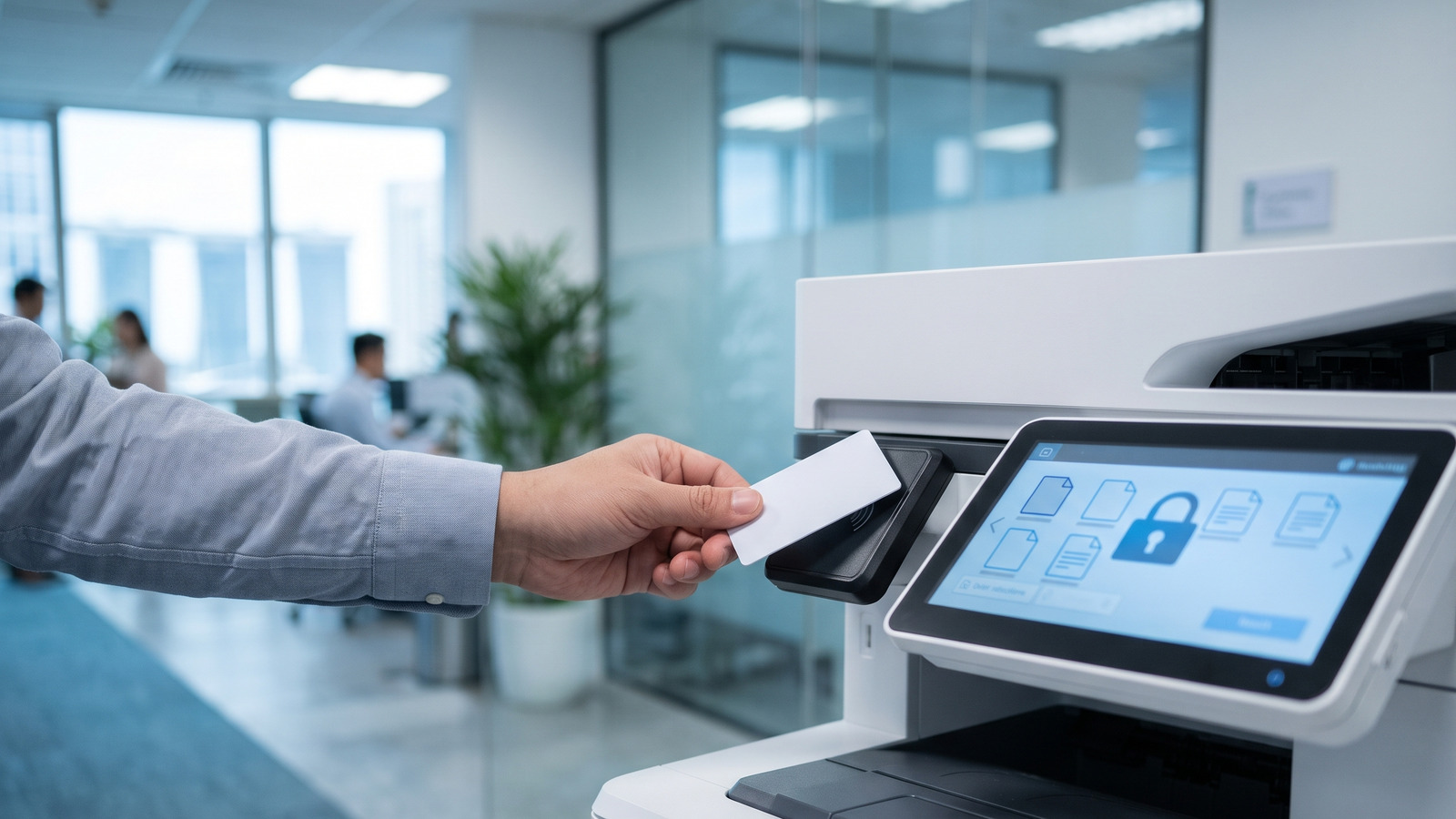
Two problems lead most Singapore offices to look at print management software. The first is the pile of uncollected printouts in the output tray, some of them containing salaries, client details or student records. The second is cost: nobody can say which department prints most, how much of it is colour, or how much goes straight into the recycling bin.
ASC works with four main tools to deal with both: Fujifilm Serverless On-Demand Print, PaperCut, Printix and Pharos. They overlap in what they do but differ in how they are set up, which is usually what decides the right choice. This guide compares them in plain terms, as part of a wider approach to managed print services in Singapore.
What Print Management Software Does
- Secure print release. Jobs are held until the user authenticates at a device with a card, PIN or login, so documents are never left unattended in the tray.
- Usage tracking and reporting. Jobs are recorded by user, department, device, page count and colour, giving finance a clear view of print spend.
- Rules and quotas. Administrators can set defaults such as double-sided or mono printing, send large jobs to a faster device, or set limits per user or department.
- Print once, collect anywhere. Users send a job once and collect it at whichever device is free, so the office keeps printing even if one machine is down.
Capabilities vary by product, edition and device, so confirm each feature against your own set-up. Together, these features turn printing from an uncontrolled expense into a managed part of office automation.
The Four Options Compared
Fujifilm Serverless On-Demand Print
Serverless On-Demand Print is a paid application for supported Fujifilm multifunction devices and printers. Print jobs are stored on the device rather than on a server, and users release them from any linked device on the network. It supports authentication with local or network accounts and IC cards, and Fujifilm provides a configuration tool for setting up several linked devices at once.
Best suited to: Fujifilm fleets where the IT team would rather not run a print server, and small to mid-sized offices that want secure release without extra infrastructure.
PaperCut
PaperCut is a widely used print management platform focused on tracking, cost control and security. Its MF edition integrates with the multifunction device's control panel to authenticate users, release jobs and track copying and scanning as well as printing. It is traditionally deployed with an application server on the organisation's network, which gives IT teams detailed control over rules, quotas and charging print costs back to departments.
Best suited to: schools, institutions and organisations that need departmental billing, print quotas or detailed reporting across copy, print and scan.
Printix
Printix is a cloud-based print management service. It removes the need for on-site print servers, with administration handled through a web console, and lets users print securely from any device. That makes it a good fit for organisations with several locations, hybrid staff or a small in-house IT team.
Best suited to: multi-site organisations and companies moving their infrastructure to the cloud.
Pharos
Pharos provides secure print management for larger and more complex environments. Its Blueprint product focuses on enterprise print policy, security and analytics, while Uniprint is designed for higher education, where students, staff and visitors share devices across a campus.
Best suited to: large enterprises and universities with many users, many devices and formal print policies.
Security and PDPA Considerations
For many organisations the security case matters as much as the savings. Documents left in an output tray are one of the simplest ways for personal data to reach the wrong person, whether it is a payslip collected by a colleague or a client file picked up by a visitor. Under the PDPA, organisations are expected to make reasonable security arrangements to protect the personal data they hold, and printed documents are part of that. Secure release means a document only leaves the machine when its owner is standing in front of it.
Job logs add a second layer. When every print, copy and scan is recorded against a user, the organisation can see who handled a document and when, which is useful for internal audits and for investigating an incident. Ask how long logs are kept, who can view them, and whether scanning to email or cloud folders is controlled by the same rules as printing. Device-level protections matter too; see our guide to security measures in modern Fujifilm copiers.
Five Questions That Narrow the Choice
- Do you want to run a print server? If not, Serverless On-Demand Print or Printix avoid one. If your IT team already manages on-premises servers, PaperCut or Pharos will fit easily.
- Is your fleet all Fujifilm? Serverless On-Demand Print works across linked Fujifilm devices. Fleets with several brands are usually better served by PaperCut, Printix or Pharos.
- Do you need to charge printing back to departments, projects or clients? Detailed cost allocation points towards PaperCut or Pharos.
- How will users authenticate? Check that your existing staff cards work with the card readers on your devices before committing.
- How many sites and remote staff do you have? Multi-site and hybrid teams gain the most from a cloud platform.
Rolling It Out Without Disrupting the Office
Start with one floor or department as a pilot, enrol staff cards before go-live, and explain to staff why jobs no longer print the moment they press Print. Set sensible defaults, such as double-sided mono printing, and allow exceptions for teams that need them. After the first month, review the usage reports with department heads. The first report usually shows where savings are available, such as a team printing in colour by default or a high number of jobs that are sent but never collected. Share the findings with staff as well, because people tend to change their printing habits once they can see what their department prints each month.
Software Is One Part of Managed Print
Print management software gives you control and visibility, but it still needs someone to install it, connect it to your devices and staff directory, and keep it working through firmware updates and staff changes. A managed print arrangement combines the software with servicing, consumables supply and regular reviews of the fleet, so the office has one point of contact for all of it. Ongoing technical support and maintenance keeps both the devices and the software running.
ASC Marketing is a Fujifilm Authorised Dealer serving schools, government agencies and businesses across Singapore, including the National Institute of Education, Hwa Chong Institution, NParks and BYD. We implement Fujifilm Serverless On-Demand Print, PaperCut, Printix and Pharos, alongside the devices they run on.
Frequently Asked Questions
What is secure print release?
Secure print release holds a print job until the user authenticates at the device with a card, PIN or login. Documents only print when their owner is standing at the machine, so confidential pages such as payslips or client files are never left unattended in a shared output tray.
Do I need a print server for print management software?
Not always. Fujifilm Serverless On-Demand Print stores jobs on the devices themselves, and Printix is cloud-based, so neither needs an on-site print server. PaperCut and Pharos are traditionally deployed with a server on your network, which suits organisations whose IT team already manages on-premises infrastructure.
Which print management software suits schools?
Schools and institutions that need departmental billing, print quotas or detailed reporting across copying, printing and scanning are often well suited to PaperCut. Pharos Uniprint is designed for higher education campuses where students, staff and visitors share devices. The right choice depends on your server set-up and authentication method.
Does print management software work with non-Fujifilm printers?
Serverless On-Demand Print works across linked Fujifilm devices. Fleets with several brands are usually better served by PaperCut, Printix or Pharos. Before committing, check that the software supports every device model in your fleet and that your existing staff cards work with the card readers.
How does print management software help with PDPA compliance?
Under the PDPA, organisations must make reasonable security arrangements to protect personal data, including printed documents. Secure release stops documents sitting unattended in output trays. Job logs record who printed, copied or scanned each document and when, which supports internal audits and incident investigations.
Related reading: Managed Print Services in Singapore: Moving to Smart Workflows | What Are Managed Print Services (MPS)?
Not sure which tool fits your office? Tell us how many devices, users and sites you have, and we will recommend the approach that suits your set-up. See our print management solutions, or contact our team.
🏢 Address: 10 Upper Aljunied Link, #07-07, Singapore 367904
📞 Tel: +65 6291 3133
🌐 Website: https://www.asc-svc.com/contact
References
- FUJIFILM Business Innovation Singapore — Serverless On-Demand Print: Overview of the paid Serverless On-Demand Print application, which lets stored jobs be released from linked multifunction devices and printers without a print server. URL: https://www.fujifilm.com/fbsg/en/products/multifunction-printers/add-apps/serverless-on-demand-print
- PaperCut — PaperCut MF: Product page for PaperCut MF, covering print, copy and scan tracking, secure release and cost control on multifunction devices. URL: https://www.papercut.com/products/mf/
- Printix — Cloud Print Management: Overview of Printix, a cloud print management service that removes the need for on-site print servers. URL: https://printix.net/
- Pharos — Blueprint: Product page for Pharos Blueprint, an enterprise print management platform for print policy, security and analytics. URL: https://www.pharos.com/products/blueprint/
