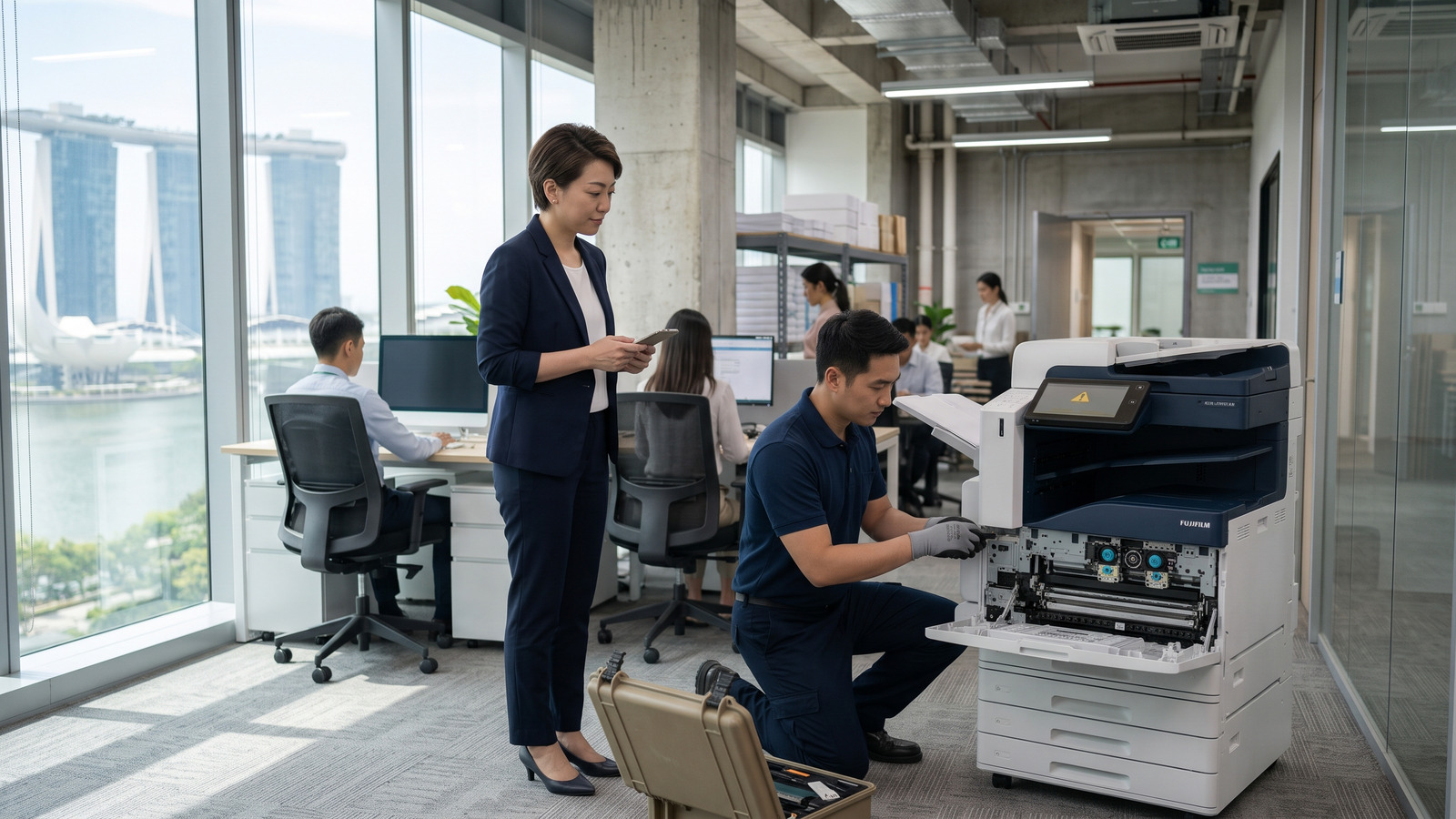
When an office printer stops in the middle of a job, the first search is usually some version of repair printer Singapore, typed on a phone standing next to the machine. The urgency is real, but the decision that follows is bigger than it looks. A repair call can be the right answer. It can also be the first of several calls on a machine that has already reached the end of its useful life, and paying for the wrong option costs more than any single repair invoice.
This guide covers the checks worth doing before you call anyone, what a proper service visit should include, and a practical way to decide whether to repair the machine, replace it, or bridge the gap with a rental unit.
Five-Minute Checks Before You Call
A good share of service calls turn out to be paper, power or network problems rather than mechanical faults. These checks are safe for any member of staff and do not involve opening the machine beyond the paper trays and the areas the control panel guides you to. For anything beyond them, follow the instructions shown on the control panel and in your machine's official user guide.
- Write down the error code. Take a photo of the control panel message before restarting anything. The code tells a technician what to bring, and it often disappears after a restart.
- Restart the machine properly. Switch off at the control panel, wait for the shutdown to finish, then switch off at the wall for a minute before powering up again. Many intermittent faults clear after a full restart.
- Check the paper. Singapore's humidity makes paper curl and stick together, which causes misfeeds and repeated jams. Replace the stack in the tray with paper from a freshly opened ream and fan it before loading.
- Check whether it is the machine or the network. If the copier still copies and scans normally but will not print from computers, the problem is more likely a driver, IP address or print queue than the hardware. Your IT team can usually confirm this quickly.
- Leave internal parts alone. The fuser area runs hot and the drum surface is easily damaged. If a jam is beyond the areas the panel shows you, stop and call for service rather than pulling paper out by force.
If the fault returns after these checks, it is time for a technician.
What a Proper Service Visit Should Include
Not every service call delivers the same thing. A visit that clears the jam and leaves is a different service from one that finds out why the jam happened. When you book copier repair in Singapore, these are reasonable expectations of any professional provider:
- Diagnosis of the cause, not only the symptom. Repeated jams usually point to a worn roller, separation pad or sensor. Replacing the worn part prevents the next call.
- Genuine, model-correct parts. Ask what was replaced and whether the parts were manufacturer-approved for that model.
- A test run before the technician leaves. Copy, print and scan should all be checked, including the tray or function that was failing.
- A written service report. It should record the fault, the parts used, the meter reading and any recommended follow-up. These reports become the machine's service history, which matters later when you weigh up replacement or trade-in value.
- A firmware check. Networked copiers receive firmware updates that fix bugs and security issues. A service visit is a sensible time to confirm the machine is up to date.
For Fujifilm equipment, Fujifilm printer repair in Singapore from an authorised provider means technicians trained on the specific platform and genuine parts sourced through official channels. That matters most on newer Apeos models, where diagnostics and settings are model-specific.
Repair, Replace or Rent: How to Decide
Once a technician has diagnosed the fault, you have a decision to make, and the cheapest invoice is not always the cheapest outcome. Weigh the repair quote against the points below.
Repair when the machine still fits the job
Repair is usually the right answer when the machine is within its manufacturer support period, the fault is a one-off rather than a pattern, and the device still matches how the office works. A worn roller on a machine that otherwise performs well is a routine part of its life, and a well-maintained copier can continue to give reliable service.
Replace when faults have become a pattern
Look at the service history rather than the single quote. If the same machine has needed several visits in a short period, if parts are becoming hard to source, or if the model is no longer receiving firmware updates, each repair is buying time rather than value. A simple test for finance teams is to compare this repair plus the servicing you expect over the next year against the cost of a newer machine. If the two figures are close, replacement usually makes more sense. A trade-in or buyback programme can put a value on the old unit and reduce the cost of the new one.
Rent when you need certainty now
Sometimes the immediate problem is downtime rather than the long-term decision. If a part is on order, or you want time to plan a replacement properly, a short-term photocopier rental keeps the office running in the meantime. Rental also suits offices that would rather not carry the repair risk themselves, as servicing, parts and toner are typically bundled into one monthly figure. Confirm exactly what is included before you sign.
Reducing the Number of Repair Calls
Most breakdowns give warning. Streaks, faint print, grinding noises and misfeeds that come and go are early signs that a component is wearing. Planned photocopier servicing in Singapore catches these before they turn into a stoppage.
- Book preventive maintenance on a schedule based on your print volume, not only when something fails.
- Use genuine toner and drums. Non-genuine consumables vary in quality, and toner residue or poor fusing can add wear to internal parts. Keeping genuine toner and paper in stock also avoids running out in the middle of a job.
- Store paper properly. Keep reams sealed, off the floor and away from air-conditioning vents until they are needed.
- Keep a simple fault log. Record the date, the error code and what happened. A pattern in the log is the best evidence when deciding between repair and replacement.
Remember the Data Stored on the Machine
Modern multifunction devices can hold scanned and printed documents, address books and user credentials on internal storage. If a machine is replaced, or a storage drive is changed during a repair, ask how the old drive will be handled and request written confirmation that the data has been securely erased or the drive destroyed. Guidance from Singapore's Personal Data Protection Commission makes clear that organisations remain responsible for disposing of personal data properly.
ASC Marketing is a Fujifilm Authorised Dealer serving schools, government agencies and businesses across Singapore, including the National Institute of Education, Hwa Chong Institution, NParks and BYD. Our technical team handles repair, preventive servicing and replacement, so the advice on whether to repair or replace comes from the people who would carry out either job.
Frequently Asked Questions
How do I know if my printer needs repair or replacement?
Look at the service history, not just the current fault. A one-off fault on a machine that is still supported by the manufacturer is usually worth repairing. Repeated breakdowns, parts that are hard to source, or a model that no longer receives firmware updates suggest replacement is the better investment.
What should I check before calling for printer repair in Singapore?
Photograph the error code and restart the machine fully. Replace the paper with a freshly opened ream, since humidity often causes jams. Then check whether copying still works when printing does not, which points to a network or driver issue. Do not open internal areas such as the fuser, which runs hot.
Should I use genuine parts for copier repair?
Yes. Manufacturer-approved parts are designed for the specific model, and technicians trained on the platform can diagnose model-specific faults faster. For Fujifilm equipment, an authorised provider has access to genuine parts through official channels.
Can I rent a copier while mine is being repaired?
Yes. A short-term photocopier rental keeps the office printing while a part is on order or while you plan a replacement, so you can make the long-term decision without disrupting daily work.
What happens to the data on a copier that is replaced?
Multifunction devices can store scanned documents, address books and user credentials. Ask how the old drive will be handled and get written confirmation that the data has been securely erased or the drive destroyed. Under Singapore's PDPA, your organisation remains responsible for disposing of that personal data properly.
Related reading: 5 Signs You Need Professional Printer Repair | Copier Trade-In and Buyback Programmes
Machine down or giving trouble? Tell us the model and the error code and we will advise on the fastest fix. See our technical support and maintenance service, or contact our team to book a technician.
🏢 Address: 10 Upper Aljunied Link, #07-07, Singapore 367904
📞 Tel: +65 6291 3133
🌐 Website: https://www.asc-svc.com/contact
References
- Personal Data Protection Commission Singapore — Guide to Disposal of Personal Data on Physical Medium: PDPC guidance on disposing of personal data properly. URL: https://www.pdpc.gov.sg/Help-and-Resources/2017/10/Guide-to-Disposal-of-Personal-Data-on-Physical-Medium
