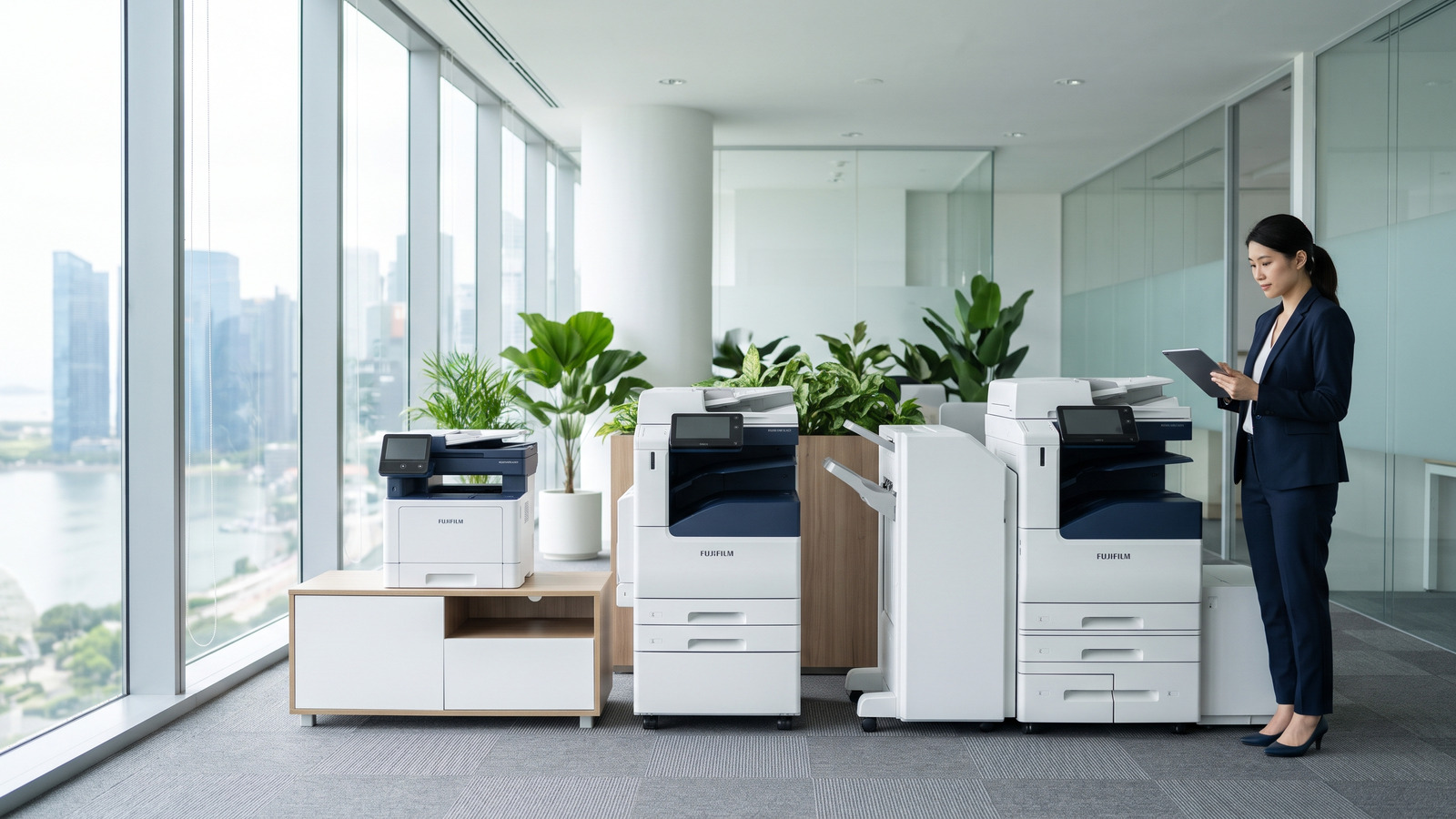
Shopping for a Fujifilm printer in Singapore can be confusing before you have looked at a single specification. Quotations and websites mention Apeos, ApeosPort, ApeosPrint, DocuCentre and Fuji Xerox, sometimes for machines that look almost identical. The names follow a logic, and once you can read them it becomes much easier to compare options and to spot when a quote does not match what your office needs.
This guide explains where the names come from, what the model codes tell you, and how to match the range to the way your office prints.
From Fuji Xerox to FUJIFILM Business Innovation
For decades, Fujifilm's office equipment business in Asia Pacific traded as Fuji Xerox. In 2021 the business took the FUJIFILM Business Innovation name and introduced the Apeos series of multifunction devices and printers.
That history explains the mix of names you still see. Many offices continue to run Fuji Xerox-era machines branded DocuCentre or ApeosPort-VI and VII, while new equipment carries the Apeos family names. When you compare quotes, check which generation a machine belongs to. An older model may be closer to the end of its support period even when it is offered at an attractive price.
Apeos, ApeosPort, ApeosPrint and ApeosPro
- Apeos is the main multifunction range: print, copy and scan in one device, with fax available on many configurations. When most offices talk about a Fujifilm copier, this is the family they mean.
- ApeosPort is a multifunction line name carried over from the Fuji Xerox period. You will see it on the ApeosPort-VI and VII series machines that remain in many offices, as well as on some later models.
- ApeosPrint is the printer-only range. These single-function devices suit departments that print heavily but rarely copy or scan, such as an accounts team producing invoices and statements.
- ApeosPro and the wider production range serve print rooms and in-house print shops that need higher volumes, heavier media and professional finishing. ASC's production printers cover this category.
What the Model Code Tells You
Fujifilm model codes carry useful information once you know where to look.
- A C means colour. The Apeos C8180 is a colour multifunction device, while the Apeos 5570 is monochrome. If a model name has no C, expect black-and-white output only.
- Higher numbers generally sit higher in the series. Within one family, a larger number usually indicates a faster, higher-volume machine, so compare models within one series rather than across series.
- Check the paper size. The range includes A3 devices, which handle both A3 and A4, and compact A4 models such as the Apeos C325 z. If your office prints floor plans, wide spreadsheets or posters, confirm A3 capability before comparing prices. An A3 printer costs more and takes more space, so there is no reason to pay for one if the office only ever prints A4.
- An R marks a remanufactured unit. Fujifilm offers remanufactured multifunction printers rebuilt from returned machines, such as the ApeosPort-VI C5571 R. These suit budget-conscious offices and organisations with sustainability targets. See ASC's remanufactured machines for current availability.
Matching the Range to Your Office
Rather than starting from a model list, start from how your office prints. Four questions narrow the choice quickly.
- How many pages a month? Check the meter readings on your current machine. Choose a device whose recommended monthly volume comfortably covers your real figure, with room for busy periods.
- How much colour? If colour is a small share of output, a colour machine can still make sense, but ask how colour and mono pages are charged.
- A4 only, or A3? Architecture, engineering, schools and finance teams often need A3. Small sales or professional offices often do not.
- Who will use it, and how? A shared device for a whole floor needs card or PIN authentication, scan-to-email and cloud connectors. A small team may only need printing and scanning to a shared folder.
In practice, this tends to place a small team on a compact A4 colour device such as the Apeos C325 z, a department or growing office on an A3 colour multifunction model from the main Apeos range, and a busy central print area on a high-volume model such as the Apeos C8180, C7580 or C6580. A print-heavy team with little need to copy may be better served by an ApeosPrint model such as the ApeosPrint 6340 or ApeosPrint C5240. You can compare the full range of Fujifilm printers in Singapore on our products page.
Features Worth Asking About
Specifications vary by model and configuration, so confirm each of these against the exact machine being quoted rather than the series brochure.
- User authentication and secure print release, so documents only print when their owner is standing at the machine.
- Scan-to-cloud and scan-to-email that work with the services your company already uses.
- Protection for the internal storage, including encryption and overwrite options, and what happens to the drive at the end of the machine's life.
- Remote monitoring, which lets your service provider see meter readings, toner levels and error alerts before you call.
- Finishing options such as stapling, hole-punching and booklet-making, which are often add-on units and easy to forget at the quote stage.
Buy, Rent or Remanufactured
The same Fujifilm machine can usually be bought outright, rented on a monthly plan, or sourced as a remanufactured unit. Buying suits offices with steady volumes and capital available. Photocopier rental suits offices that want a predictable monthly cost, or that expect their needs to change. Remanufactured units offer a lower entry price. An authorised dealer can quote the options for the same requirement so you can compare them side by side.
The Dealer Matters as Much as the Model
A Fujifilm machine is only as good as the support behind it. Buying through an authorised Fujifilm dealer means genuine parts and consumables, technicians trained on the platform, and correct installation onto your network, which is where many new machines lose days of productivity.
ASC Marketing is a Fujifilm Authorised Dealer serving schools, government agencies and businesses across Singapore, including the National Institute of Education, Hwa Chong Institution, NParks and BYD. We supply the Apeos and ApeosPrint ranges, production printers and remanufactured units, with installation and support from our technical team.
Frequently Asked Questions
Is Fujifilm the same as Fuji Xerox?
Fujifilm's office equipment business in Asia Pacific previously traded as Fuji Xerox. In 2021 it took the FUJIFILM Business Innovation name and introduced the Apeos series. Older machines branded DocuCentre or ApeosPort-VI and VII are from the Fuji Xerox period and are still found in many offices.
What is the difference between Apeos and ApeosPrint?
Apeos is Fujifilm's multifunction range, combining print, copy and scan in one device. ApeosPrint is the printer-only range, suited to teams that print heavily but rarely copy or scan. ApeosPro and the wider production range serve print rooms that need higher volumes and finishing.
What does the "C" mean in a Fujifilm model name?
A "C" indicates a colour machine. The Apeos C8180 prints in colour, while the Apeos 5570 is monochrome. Within the same family, a higher number generally indicates a faster, higher-volume model.
Do I need an A3 printer for my office?
You need A3 if you print floor plans, drawings, wide spreadsheets or posters, which is common in architecture, engineering, schools and finance. A3 machines handle both A3 and A4. If your office only prints A4, a compact A4 model such as the Apeos C325 z costs less and takes less space.
Can I rent a Fujifilm copier instead of buying one?
Yes. Most Fujifilm machines can be bought outright, rented on a monthly plan, or sourced as remanufactured units. An authorised dealer can quote the options for the same requirement so you can compare them.
Related reading: How to Choose an Office Printer in Singapore | Copier Specifications Checklist
Not sure which Fujifilm model fits your office? Send us your monthly page count, paper sizes and number of users, and we will recommend a shortlist. Browse our products, see our multifunction printers and copiers, or contact our team.
🏢 Address: 10 Upper Aljunied Link, #07-07, Singapore 367904
📞 Tel: +65 6291 3133
🌐 Website: https://www.asc-svc.com/contact
References
- FUJIFILM Business Innovation Singapore — Apeos 5570 / 4570: Product page for the Apeos 5570 / 4570 A3 monochrome multifunction printer, an example of a model without the C colour designation. URL: https://www.fujifilm.com/fbsg/en/products/sg-multifunction-printers/apeos-5570-4570
